Know how to use Gmail and YouTube without the internet?
Friday - December 27, 2019 4:13 pm ,
Category : WTN SPECIAL
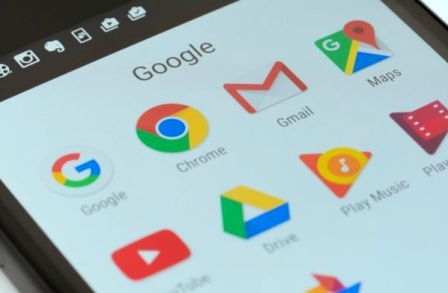
You can use Google's services without internet
Google offers the facility to use multiple services in offline mode
DEC 27 (WTN) - Bread, clothes, and houses are the most special needs of human beings. But in this era of technology, without mobile phones and the internet, lifestyle cannot be imagined. Nearly every important work from communication to banking is possible through mobile nowadays, but what if the internet stops working, then how lonely and backward you will feel. Actually, as you know, opposition parties have protested in many cities of the country regarding the Citizenship Amendment Act (CAA). In many cities, the administration had stopped internet services as a precaution due to violent protests.
It is obvious that due to interrupted internet services, in this era of technology, human beings feel like themselves, while many people start feeling lonely after the internet is closed. But in order to maintain law and order, the government-administration can stop internet services at any time, in such a situation, when the internet is closed; you get decided by using the services run by the internet. But today we are going to tell you that without the internet, you can use Gmail, Google Maps, and YouTube.
Let us first tell you how you can use g-mail in case of an internet shutdown. For your information, let us know that Google has added a new feature in G-mail, and through this feature, you can send mail without the internet. To use this feature on Gmail, you have to first log in to the Gmail account. After logging in to the Gmail account, go to its settings and click. In the settings here, you will find an option of offline.
You have to click on this offline option. As soon as you click on it and if the offline extension of Gmail is not installed in your Chrome browser, then in this situation you will be asked to install the offline extension first. As soon as you install the offline extension, after that, you can activate offline mode in the settings. Now going to the offline tab, you have to click on the Enable Offline e-mail option. After enabling offline e-mail, you have to choose how many e-mails you want offline, while you have to also choose how many days old e-mail you want to put in offline mode.
For your information, let us know that if you want, even after logging out, you can also choose if the e-mail is downloaded on your laptop or desktop. After doing all this process, you have to click on the ‘Save Changes’ option and through this, you will be able to use the offline feature of Gmail and can send and receive mail.
You can also use Google Maps without the internet. To use it, you must first sign in to Google Map while connected to the Internet. After sign-in, search the place where you want to go. After searching the place to visit, tap on the download offline map. After downloading the offline map, you can use Google maps without an internet connection or even after the internet is slow. Google claims that you will be able to use the downloaded map in the same way as you can with an internet connection.
Similarly, you can also enjoy videos on YouTube without the internet. In YouTube offline feature, you can already save videos offline using the Internet. After this, you can watch these videos without buffering even without the internet or slow internet. To use this feature of YouTube, first of all, search the video or videos you want to watch with the help of the internet. After searching the video, you should download this video. For your information, let us know that this video will be saved in offline mode, after which you can also watch this video offline.
DEC 27 (WTN) - Bread, clothes, and houses are the most special needs of human beings. But in this era of technology, without mobile phones and the internet, lifestyle cannot be imagined. Nearly every important work from communication to banking is possible through mobile nowadays, but what if the internet stops working, then how lonely and backward you will feel. Actually, as you know, opposition parties have protested in many cities of the country regarding the Citizenship Amendment Act (CAA). In many cities, the administration had stopped internet services as a precaution due to violent protests.
It is obvious that due to interrupted internet services, in this era of technology, human beings feel like themselves, while many people start feeling lonely after the internet is closed. But in order to maintain law and order, the government-administration can stop internet services at any time, in such a situation, when the internet is closed; you get decided by using the services run by the internet. But today we are going to tell you that without the internet, you can use Gmail, Google Maps, and YouTube.
Let us first tell you how you can use g-mail in case of an internet shutdown. For your information, let us know that Google has added a new feature in G-mail, and through this feature, you can send mail without the internet. To use this feature on Gmail, you have to first log in to the Gmail account. After logging in to the Gmail account, go to its settings and click. In the settings here, you will find an option of offline.
You have to click on this offline option. As soon as you click on it and if the offline extension of Gmail is not installed in your Chrome browser, then in this situation you will be asked to install the offline extension first. As soon as you install the offline extension, after that, you can activate offline mode in the settings. Now going to the offline tab, you have to click on the Enable Offline e-mail option. After enabling offline e-mail, you have to choose how many e-mails you want offline, while you have to also choose how many days old e-mail you want to put in offline mode.
For your information, let us know that if you want, even after logging out, you can also choose if the e-mail is downloaded on your laptop or desktop. After doing all this process, you have to click on the ‘Save Changes’ option and through this, you will be able to use the offline feature of Gmail and can send and receive mail.
You can also use Google Maps without the internet. To use it, you must first sign in to Google Map while connected to the Internet. After sign-in, search the place where you want to go. After searching the place to visit, tap on the download offline map. After downloading the offline map, you can use Google maps without an internet connection or even after the internet is slow. Google claims that you will be able to use the downloaded map in the same way as you can with an internet connection.
Similarly, you can also enjoy videos on YouTube without the internet. In YouTube offline feature, you can already save videos offline using the Internet. After this, you can watch these videos without buffering even without the internet or slow internet. To use this feature of YouTube, first of all, search the video or videos you want to watch with the help of the internet. After searching the video, you should download this video. For your information, let us know that this video will be saved in offline mode, after which you can also watch this video offline.