Get lost Aadhaar Card information in an easy way
Tuesday - December 31, 2019 2:52 pm ,
Category : WTN SPECIAL
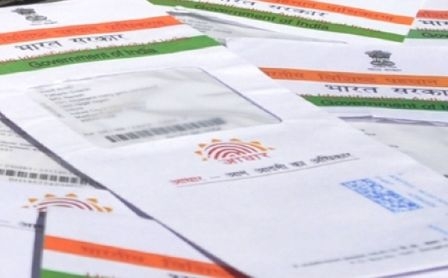
Aadhaar Card is an important document
Get lost Aadhaar card details with the help of app or website
DEC 31 (WTN) - As you know, in today's era, the Aadhaar card has become an important document for every Indian. Aadhaar Card is an important document in the form of an identity card. Aadhaar card is required to avail of many government schemes. At the same time, for bank related works, the Aadhaar card must be linked with the PAN card. But many times it happens that the Aadhaar card is stolen or lost due to mistake or negligence, so the Aadhaar cardholder has to face a lot of problems.
By the way, you can get rid of the problem of missing the Aadhaar Card if you have downloaded the DigiLocker app on your smartphone. Actually, in the DigiLocker app, your Aadhaar card is saved digitally and if needed, you can show it to someone and also get a print out of it because DigiLocker is recognized by the government. But if you have not downloaded and kept your Aadhaar card in DigiLocker, then in the event of loss or theft of the Aadhaar card, how can you get an Aadhaar card or its enrollment? Let us explain in detail.
The UIDAI (Unique Identification Authority of India), the government agency that issued the Aadhaar card, has given information about this by tweeting it. According to this tweet of UIDAI, you can get your Aadhaar with the help of the mAadhaar App in the event of Aadhaar card being stolen or lost again. For your information, let us know that this app has the facility to recover stolen or lost Aadhaar Card and to get back the Aadhaar Enrollment ID. By the way, for your information, let us know that Enrollment ID is required to get the Aadhaar number again and to check the status of the Aadhaar application.
For your information, let us know that to get the Aadhaar or Enrollment ID back, you have to download the mAadhaar app. You can easily download this app from the Android or iOS Play store. After downloading this app, you have to click on the option of 'Retrieve Lost UID / EID' in the ‘Services’ section of this app. After clicking on this section, you have to choose the Aadhaar number or Enrollment ID which you want to retrieve.
After choosing one of the two options, at that place, you will have to enter your name, your mobile number linked to Aadhaar and the security code. For your information, please tell you that you can also enter the registered email ID in place of the mobile number. Now you have also filled the mobile number or email ID, you will get an OTP on it. After entering this OTP, your number or email ID will be verified. After this verification process is complete, your enrollment ID will be sent to your phone or email.
On the other hand, if you choose to get an Aadhaar number, then for this you will first have to enter an enrollment number of 14 digits at the designated place. After entering the enrollment number, in the next step, you have to enter the current date and time on the enrollment slip. After completing this process, you will have to insert captcha and click on the option 'Request OTP'. After completing the rest of the process, you will get an Aadhaar number.
If you want, you can get Aadhaar number or Enrollment ID with the help of a similar process by visiting the official website of UIDAI. To get an Aadhaar number or Enrollment ID through the website, you have to go to the 'My Aadhaar' section of the website. Ongoing to this section, you have to click on the option of 'Retrieve Lost UID / EID'. After clicking here, you will be filled with the necessary information, after that you can easily get the Aadhaar number or Enrollment ID.
DEC 31 (WTN) - As you know, in today's era, the Aadhaar card has become an important document for every Indian. Aadhaar Card is an important document in the form of an identity card. Aadhaar card is required to avail of many government schemes. At the same time, for bank related works, the Aadhaar card must be linked with the PAN card. But many times it happens that the Aadhaar card is stolen or lost due to mistake or negligence, so the Aadhaar cardholder has to face a lot of problems.
By the way, you can get rid of the problem of missing the Aadhaar Card if you have downloaded the DigiLocker app on your smartphone. Actually, in the DigiLocker app, your Aadhaar card is saved digitally and if needed, you can show it to someone and also get a print out of it because DigiLocker is recognized by the government. But if you have not downloaded and kept your Aadhaar card in DigiLocker, then in the event of loss or theft of the Aadhaar card, how can you get an Aadhaar card or its enrollment? Let us explain in detail.
The UIDAI (Unique Identification Authority of India), the government agency that issued the Aadhaar card, has given information about this by tweeting it. According to this tweet of UIDAI, you can get your Aadhaar with the help of the mAadhaar App in the event of Aadhaar card being stolen or lost again. For your information, let us know that this app has the facility to recover stolen or lost Aadhaar Card and to get back the Aadhaar Enrollment ID. By the way, for your information, let us know that Enrollment ID is required to get the Aadhaar number again and to check the status of the Aadhaar application.
For your information, let us know that to get the Aadhaar or Enrollment ID back, you have to download the mAadhaar app. You can easily download this app from the Android or iOS Play store. After downloading this app, you have to click on the option of 'Retrieve Lost UID / EID' in the ‘Services’ section of this app. After clicking on this section, you have to choose the Aadhaar number or Enrollment ID which you want to retrieve.
After choosing one of the two options, at that place, you will have to enter your name, your mobile number linked to Aadhaar and the security code. For your information, please tell you that you can also enter the registered email ID in place of the mobile number. Now you have also filled the mobile number or email ID, you will get an OTP on it. After entering this OTP, your number or email ID will be verified. After this verification process is complete, your enrollment ID will be sent to your phone or email.
On the other hand, if you choose to get an Aadhaar number, then for this you will first have to enter an enrollment number of 14 digits at the designated place. After entering the enrollment number, in the next step, you have to enter the current date and time on the enrollment slip. After completing this process, you will have to insert captcha and click on the option 'Request OTP'. After completing the rest of the process, you will get an Aadhaar number.
If you want, you can get Aadhaar number or Enrollment ID with the help of a similar process by visiting the official website of UIDAI. To get an Aadhaar number or Enrollment ID through the website, you have to go to the 'My Aadhaar' section of the website. Ongoing to this section, you have to click on the option of 'Retrieve Lost UID / EID'. After clicking here, you will be filled with the necessary information, after that you can easily get the Aadhaar number or Enrollment ID.