Know how to change the home address in the Voter ID online?
Thursday - January 9, 2020 2:08 pm ,
Category : WTN SPECIAL
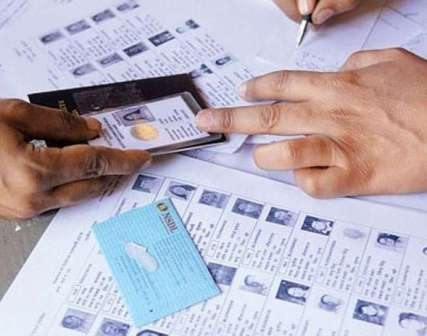
Now change the address in the Voter ID online
It’s very easy to change the address in the Voter ID
JAN 09 (WTN) - If you are an Indian citizen, you must have a voter ID. Let you know that the Voter ID is a very important document as an identity card at the time of voting. Voter ID matters a lot not only at the time of voting but as a document of address and identity. But many times it happens that your address gets changed, in such a way it is very important to change the address in the voter I-card. To get the address changed in the Voter ID, you have to present your documents to the BLO (Booth Level Officer), but we tell you that you can change your address in Voter ID online.
If you want to change the address in your Voter ID, then this work can also be done online by going to the website of NVSP with valid documents. You will need proof of age and address to change your address in voter ID. For proof of age, you must have a 5th, 8th or 10th mark sheet, passport, driving license or Aadhaar card. At the same time, for address proof, you can use rent agreement, driving license, passport, ration card, income tax assessment order, water, telephone or electricity bill.
To change your address in the Voter ID, first, go to the NVSP website i.e. www.nvsp.in and register there and create a login ID. After creating the login ID, click on 'Forms' there. Now you have to request to change your address, for which you will need old Voter ID and EPIC number. Now you have to enter your mobile number here. After entering the mobile number, you will receive an OTP to verify.
After verifying the OTP, enter the EPIC number entered on the Voter ID. Explain that only one EPIC number is generated for a user. After doing this whole process, now create a password by adding an email address. After creating the password, now sign in using the EPIC number and password.
After signing in here, click on ‘Forms’. After clicking on ‘Forms’, you will have to click on Form No.6 here. Explain that Form 6 is used for the first time when registering as a voter, or to change your assembly constituency. For your information, let us know that you can fill this form in Hindi, English or other languages. Now choose the place where you have been living and want to vote. For this, you will have to give details of the assembly constituency.
Now in this form, you will have to provide your personal information as well as your old and new address. In this process, you will have to upload your passport size photo and address proof image and age proof document. After filling all this, you have to fill the declaration details. At the same time, after filling the place name and captcha, you have to press the submit button at the bottom of the page. After doing this entire process online, your address will get channeled into voter ID.
JAN 09 (WTN) - If you are an Indian citizen, you must have a voter ID. Let you know that the Voter ID is a very important document as an identity card at the time of voting. Voter ID matters a lot not only at the time of voting but as a document of address and identity. But many times it happens that your address gets changed, in such a way it is very important to change the address in the voter I-card. To get the address changed in the Voter ID, you have to present your documents to the BLO (Booth Level Officer), but we tell you that you can change your address in Voter ID online.
If you want to change the address in your Voter ID, then this work can also be done online by going to the website of NVSP with valid documents. You will need proof of age and address to change your address in voter ID. For proof of age, you must have a 5th, 8th or 10th mark sheet, passport, driving license or Aadhaar card. At the same time, for address proof, you can use rent agreement, driving license, passport, ration card, income tax assessment order, water, telephone or electricity bill.
To change your address in the Voter ID, first, go to the NVSP website i.e. www.nvsp.in and register there and create a login ID. After creating the login ID, click on 'Forms' there. Now you have to request to change your address, for which you will need old Voter ID and EPIC number. Now you have to enter your mobile number here. After entering the mobile number, you will receive an OTP to verify.
After verifying the OTP, enter the EPIC number entered on the Voter ID. Explain that only one EPIC number is generated for a user. After doing this whole process, now create a password by adding an email address. After creating the password, now sign in using the EPIC number and password.
After signing in here, click on ‘Forms’. After clicking on ‘Forms’, you will have to click on Form No.6 here. Explain that Form 6 is used for the first time when registering as a voter, or to change your assembly constituency. For your information, let us know that you can fill this form in Hindi, English or other languages. Now choose the place where you have been living and want to vote. For this, you will have to give details of the assembly constituency.
Now in this form, you will have to provide your personal information as well as your old and new address. In this process, you will have to upload your passport size photo and address proof image and age proof document. After filling all this, you have to fill the declaration details. At the same time, after filling the place name and captcha, you have to press the submit button at the bottom of the page. After doing this entire process online, your address will get channeled into voter ID.